How to Use a Cursive Worksheet Generator to Create Custom Practice Pages
A cursive worksheet generator is a digital tool that converts custom text into printable PDF practice sheets. These tools allow users to personalize names, sentences, and paragraphs for handwriting instruction. Most modern generators support pedagogical styles like Zaner-Bloser and D'Nealian , offering options for tracing (dotted lines) or copying (blank lines). They are widely used by educators to support state-mandated handwriting curricula and by adults looking to refine their professional signatures.
In an era dominated by keyboards and touchscreens, the tactile art of handwriting is experiencing a significant resurgence. Whether you are a teacher looking to provide personalized practice for a classroom or an adult aiming to improve your penmanship for journaling, a cursive worksheet generator provides the flexibility that standard workbooks lack. By allowing you to input specific vocabulary, historical quotes, or even your own name, these tools transform a static learning process into a dynamic, customized experience.
The transition from digital screens back to pen and paper is not merely a nostalgic trend; it is rooted in the practical need for legible communication and cognitive development. Most online generators function by taking your raw text and rendering it into a high-resolution 8.5 x 11-inch PDF, ensuring that the printed result maintains the correct proportions for standard school paper. This customization is the primary benefit, as it allows for targeted repetition of the specific letter joins that a student finds most challenging.
Why Are Schools Bringing Back Cursive Writing Instruction?
The landscape of American education has shifted recently, with a growing number of states recognizing the limitations of a purely digital curriculum. Legislative actions in states like Pennsylvania and New Jersey have led to the reinstatement of cursive writing requirements in elementary schools. This shift is driven by a combination of historical preservation—enabling students to read primary source documents like the Constitution—and modern neuroscience.
Research indicates that the physical act of writing in cursive provides unique cognitive benefits. According to data from K5 Learning , cursive practice increases brain activation in areas associated with working memory and language processing. Unlike typing, which involves a repetitive motion for every letter, cursive requires a continuous, fluid movement that helps the brain integrate tactile and visual information more effectively.
For teachers, the return of cursive presents a logistical challenge: how to integrate handwriting into an already crowded school day. This is where worksheet generators become indispensable. Rather than relying on generic workbooks that may not align with the week's vocabulary or history lessons, educators can generate "cross-curricular" sheets. A science teacher can create a worksheet featuring the names of planets, while a history teacher might use the preamble of the Declaration of Independence, allowing students to practice penmanship while reinforcing core subject matter.
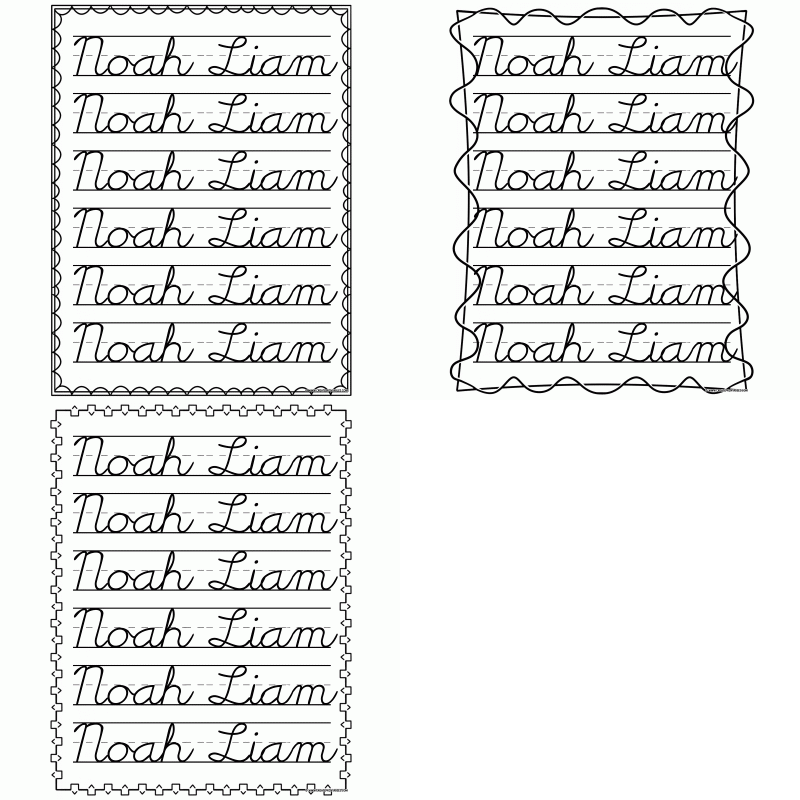
Image source: CreatePrintables
How to Choose the Right Handwriting Style for Your Worksheets
Not all cursive is created equal. When using a generator, you will often be asked to select a specific "font" or "style." These styles represent different pedagogical philosophies developed over the last century. Choosing the right one depends on the age of the learner and the ultimate goal of the instruction.
Zaner-Bloser: The Traditional Standard
Zaner-Bloser is perhaps the most recognizable style in American schools. It focuses on a slanted, rhythmic flow with a heavy emphasis on legibility. The uppercase letters are distinct and formal, making it a top choice for those who want a classic "schoolhouse" look. It is widely regarded as one of the most effective styles for developing a fast, readable hand that remains consistent over time.
D’Nealian: The Transitional Approach
Developed to ease the transition from print (manuscript) to cursive, D’Nealian adds small "tails" or "flicks" to standard print letters. The theory is that when a child is ready to move to cursive, they simply need to "connect the tails." Many educators find this style more intuitive for younger students, as it reduces the amount of new letter forms they must memorize. It ranks among the top choices for homeschooling parents who want a low-friction path to connected writing.
Learning Without Tears: The Sensory-Friendly Choice
Formerly known as Handwriting Without Tears, this method uses a unique double-line approach rather than the traditional three-line (top, middle, bottom) grid. According to Learning Without Tears , this simplified visual field helps children with fine motor challenges or visual processing issues focus on letter height and placement without being overwhelmed by extra lines.
| Style Name | Key Feature | Best For |
|---|---|---|
| Zaner-Bloser | Slanted, formal loops | Traditional classroom standards |
| D'Nealian | Slanted print with tails | Easy transition from printing |
| Learning Without Tears | Double-line grid | Children with motor challenges |
| Modern Cursive | Upright, simplified joins | Adult hobbyists and journaling |
Avoid the Unicode Trap When Searching for Cursive Tools
A common pitfall when searching for a "cursive generator" is landing on a Unicode text converter . These are tools designed for social media platforms like Instagram or TikTok. They take your text and replace standard characters with mathematical alphanumeric symbols that *look* like cursive. While they are fine for a digital bio, they are entirely useless for handwriting practice.
Instructional generators use specific font files designed for penmanship. These fonts include proper "joins"—the strokes that connect one letter to the next. In a Unicode converter, the letters are simply individual symbols placed next to each other; they do not show how a 'b' connects to an 'e' or how an 'o' connects to an 'r'. If you can copy and paste the "cursive" result into a text message and it stays cursive, it is a Unicode converter, not a handwriting tool. For real practice, you need a tool that generates a static image or a PDF file.
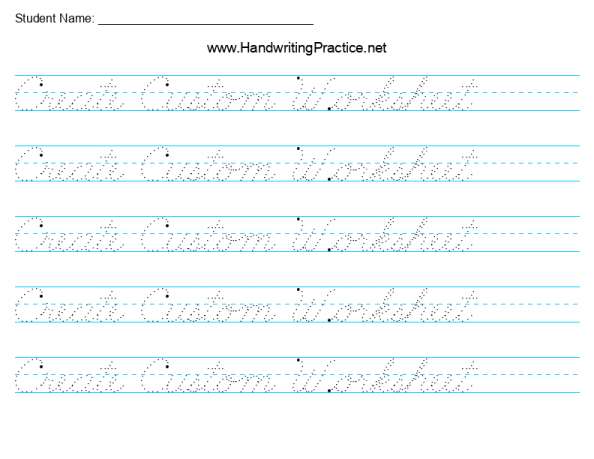
Image source: Handwriting Practice
How to Create Your Own Cursive Worksheets for Free
Creating a custom worksheet is a straightforward process, but paying attention to the details will result in a much more effective practice session. Follow these steps to generate a high-quality PDF:
- Select Your Text: For beginners, start with individual names or short, high-frequency words. For advanced learners, choose sentences that use a variety of "difficult" joins, such as those involving the letters 'v', 'w', 'b', and 'o'.
- Choose the Practice Mode: Most tools offer a "Tracing" mode (where the letters are light gray or dotted) and a "Copy" mode (where the text is at the top of the page with blank lines below). A combination of both is often a strong strategy for muscle memory.
- Adjust the Layout: Set the line height based on the learner's age. Younger children need larger lines (approx. 1 inch), while adults and older students prefer standard notebook spacing (approx. 3/8 inch).
- Configure Character Limits: To ensure the text fits on a standard page without being cut off, keep your lines to approximately 30 characters. Tools like MyCursive often have built-in limits to prevent layout errors.
- Download and Print: Always save the file as a PDF. When printing, ensure your printer settings are set to "100% Scale" or "Actual Size" rather than "Fit to Page" to maintain the intended line heights.
5 Best Free Cursive Worksheet Generators Compared
With dozens of tools available, it can be difficult to determine which one fits your specific needs. Based on user interface, customization options, and pedagogical accuracy, these five tools stand out as top choices in 2026.
- WorksheetWorks
- This tool is widely regarded as a leading option for high-volume classroom customization. It offers deep control over line thickness and slant. Note that while it provides extensive options, it may require a sign-in for certain advanced PDF features.
- MyCursive
- A popular choice for those who want a "no-login" experience. It is exceptionally user-friendly and specializes in name-tracing sheets. It is a top-tier option for parents who need a quick sheet for a single child.
- Zaner-Bloser Official Maker
- If you must adhere strictly to school standards, the official Zaner-Bloser tool is the gold standard. It ensures every letter formation is exactly as it appears in their textbooks.
- HandwritingPractice.net
- This site offers a remarkable variety of styles, often featuring 9 to 12 distinct fonts. It is an excellent choice for those looking for "Modern Cursive" or styles that deviate from the standard US school fonts.
- AllKidsNetwork
- A simple, straightforward generator that is highly impactful for early learners. It focuses on large, clear tracing letters and is completely free to use without an account.
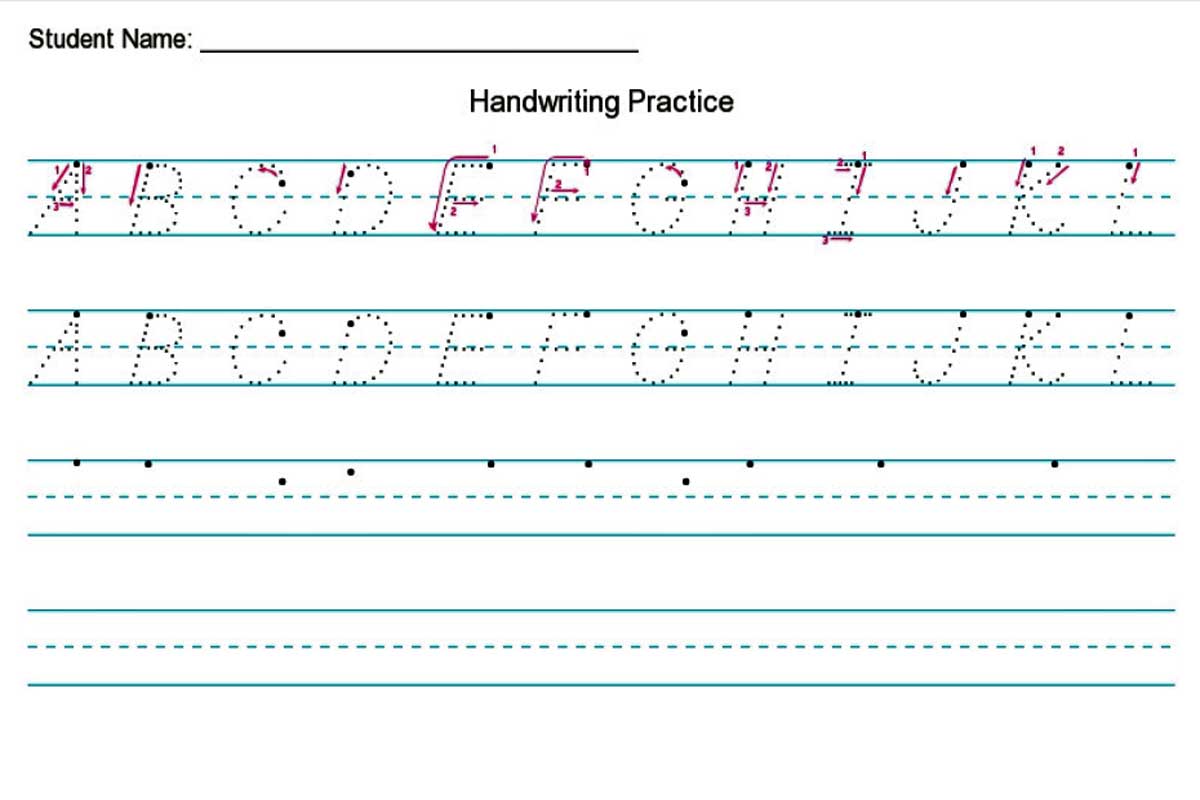
Image source: DIY Homeschooler
How Adults Can Use Generators to Improve Their Professional Signature
Cursive isn't just for third graders. Many adults find that their handwriting has deteriorated in the digital age, leading to an embarrassing or illegible professional signature. You can use a worksheet generator as a "Signature Springboard" to develop a more sophisticated personal mark.
The Signature Springboard Workflow involves four distinct stages:
- Generate: Type your full name into a generator using a formal font like Zaner-Bloser. Create a full page of just your name.
- Trace: Print the sheet and trace the letters exactly. This builds the foundational muscle memory for the standard letter forms.
- Freehand: Move to a sheet with blank lines and attempt to replicate the style without the guide.
- Iterate: Once you have the "standard" version down, start adding personal flair. This might mean making the first letter of your last name larger, or simplifying the middle letters into a stylish "wave."
By using the generator as a consistent baseline, you ensure that your stylized signature remains grounded in legible forms. This method is highly recommended for professionals who frequently sign physical documents or those who want to add a personal touch to handwritten correspondence.
Creative Ways Teachers Can Use Custom Worksheets in the Classroom
Beyond simple alphabet drills, custom worksheets can be integrated into almost any subject. This "cross-curricular" approach makes handwriting practice feel less like a chore and more like a part of the broader learning experience.
10 Famous Historical Quotes for Cursive Practice
- "The only thing we have to fear is fear itself." — FDR
- "I have a dream that one day this nation will rise up." — MLK Jr.
- "Injustice anywhere is a threat to justice everywhere." — MLK Jr.
- "Be the change that you wish to see in the world." — Gandhi
- "The future belongs to those who believe in the beauty of their dreams." — Eleanor Roosevelt
- "Success is not final, failure is not fatal." — Winston Churchill
- "It always seems impossible until it's done." — Nelson Mandela
- "Knowledge is power." — Francis Bacon
- "To be, or not to be, that is the question." — Shakespeare
- "Give me liberty, or give me death!" — Patrick Henry
Another "teacher hack" is the Class Set Strategy . Instead of printing 30 copies of the same sheet, use the generator to create a personalized sheet for every student in the roster. Many modern tools allow you to upload a CSV or list of names, generating a multi-page PDF where each page features a different student's name for tracing. This level of personalization is a significant advancement over traditional workbook methods and is often more engaging for students.
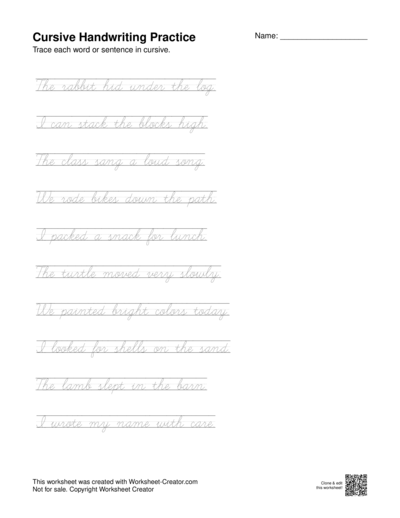
Image source: Worksheet Creator
Troubleshooting Common Printing and Layout Issues
Even with a top-tier generator, you may encounter technical hurdles when moving from the screen to the printer. Understanding these common issues will save you time and paper.
Broken Joins: Occasionally, a PDF may look perfect on screen but show "gaps" between letters when printed. This is often a rendering issue with the browser's built-in PDF viewer. To fix this, download the PDF to your computer and open it with a dedicated program like Adobe Acrobat before hitting print.
Scaling and Margins: If your lines appear too small or are being cut off at the edges, check your printer's "Margin" settings. Many generators are designed with a 0.5-inch safety margin. If your printer is set to "Fit to Printable Area," it may shrink the entire worksheet by 5-10%, making the lines uncomfortably small for the intended age group.
Ink Conservation: Printing dozens of worksheets can be costly. To save toner, look for generators that offer "Dotted" or "Outline" fonts rather than solid black. These styles use significantly less ink while still providing a clear guide for tracing. Additionally, printing in "Draft Mode" is usually sufficient for handwriting practice.
Frequently Asked Questions
How do I make a cursive name tracing sheet?
To create a name tracing sheet, use a generator like MyCursive or WorksheetWorks. Type the name into the text box, select a "dotted" or "dashed" font style, and set the line height to a large size (usually 1 inch for beginners). Once the preview looks correct, download the PDF and print it. For best results, repeat the name multiple times on the page to allow for consistent practice.
Which cursive font is most recommended for beginners?
D'Nealian is widely considered one of the top choices for beginners. Because it is based on standard manuscript (print) letters with the addition of small connecting "tails," children find it much easier to learn than the more complex loops of Zaner-Bloser. It reduces the cognitive load of learning entirely new letter shapes while still teaching the fundamentals of connected writing.
Are there any truly free cursive generators without a login?
Yes, several tools offer full functionality without requiring an account or email sign-up. MyCursive and AllKidsNetwork are two popular options that allow you to type, customize, and print immediately. While some professional tools like WorksheetWorks offer more features, they often require a subscription or login for the most advanced customization options.
Can I use these generators on a tablet or iPad?
Most modern cursive generators are web-based and mobile-responsive, meaning they work well on tablets. However, the actual "generation" of the PDF can sometimes be finicky on mobile browsers. For the best experience, use the tablet to design the worksheet, save the PDF to a cloud service (like Google Drive or iCloud), and then print it from a computer or a printer-connected device.
Is cursive still taught in schools in 2026?
Yes, cursive is making a notable comeback. As of 2026, over 20 U.S. states have passed legislation requiring cursive instruction in elementary schools. Educators and lawmakers have cited the importance of reading historical documents and the cognitive benefits of fluid handwriting as primary reasons for its return to the curriculum.
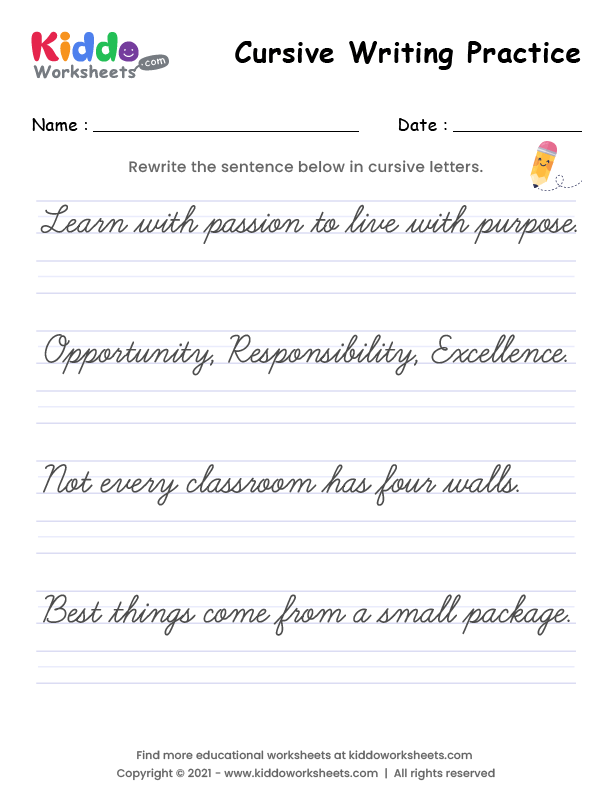
Image source: kiddoworksheets
Final Thoughts on Cursive Practice
A cursive worksheet generator is a powerful bridge between digital convenience and tactile learning. By moving away from generic workbooks and toward personalized, high-interest content, you can make handwriting practice a rewarding part of any educational routine.
- Identify your goal: Choose a style (Zaner-Bloser vs. D'Nealian) based on the learner's age and school standards.
- Avoid Unicode: Ensure you are using an instructional generator that provides proper letter joins, not a social media text converter.
- Personalize the content: Use names, favorite quotes, or vocabulary words to increase engagement and relevance.
- Optimize for printing: Use "dotted" fonts to save ink and always print at 100% scale to maintain correct line heights.
- Limit repetitions: Research suggests 5 to 10 repetitions per session are more effective than filling pages with mindless drills.
- Adults can benefit too: Use the "Signature Springboard" method to refine your professional mark or improve journaling legibility.
To get started, try generating a simple sheet with your own name today and spend just five minutes practicing the fluid connections between letters.
All trademarks, brand names, and software titles referenced in this article belong to their respective owners. Brief descriptions and links are provided for informational and educational purposes under fair use guidelines. This article is not officially endorsed by Zaner-Bloser, Learning Without Tears, or any other mentioned software provider.
-
Topic: MyCursive Cursive Worksheet Generator: Create & Practicehttps://mycursive.com/cursive-writing/cursive-worksheets/cursive-worksheet-generator/
-
Topic: Cursive Handwriting Practice - WorksheetWorks.comhttps://www.worksheetworks.com/english/writing/handwriting/cursive-practice.html
-
Topic: Free Cursive Handwriting Worksheets Generatorhttps://printablehandwriting.com/tracing/cursive-handwriting-worksheets

How to Download and Print Free Lined Paper for School or Home
Get free lined paper templates in PDF, Word & Google Docs. Choose college, wide, or planner sizes. Print perfectly with our expert guide.


Download Free Printable Lined Paper PDF Templates for Every Writing Need
Download free printable lined paper PDF templates for US Letter and A4. Includes college ruled, wide ruled, and specialized formats for writing.


How to Find and Use Top-Rated Tab Templates for Binders, Music, and Digital Planners
Download free tab templates for binder dividers, guitar tablature, and digital planners. Learn how to print 9x11 copier tabs and fix alignment issues.